Archives: Projects

  • Building a Design System for Tuyajenge

    Building a Design System for Tuyajenge

    Share this post on:

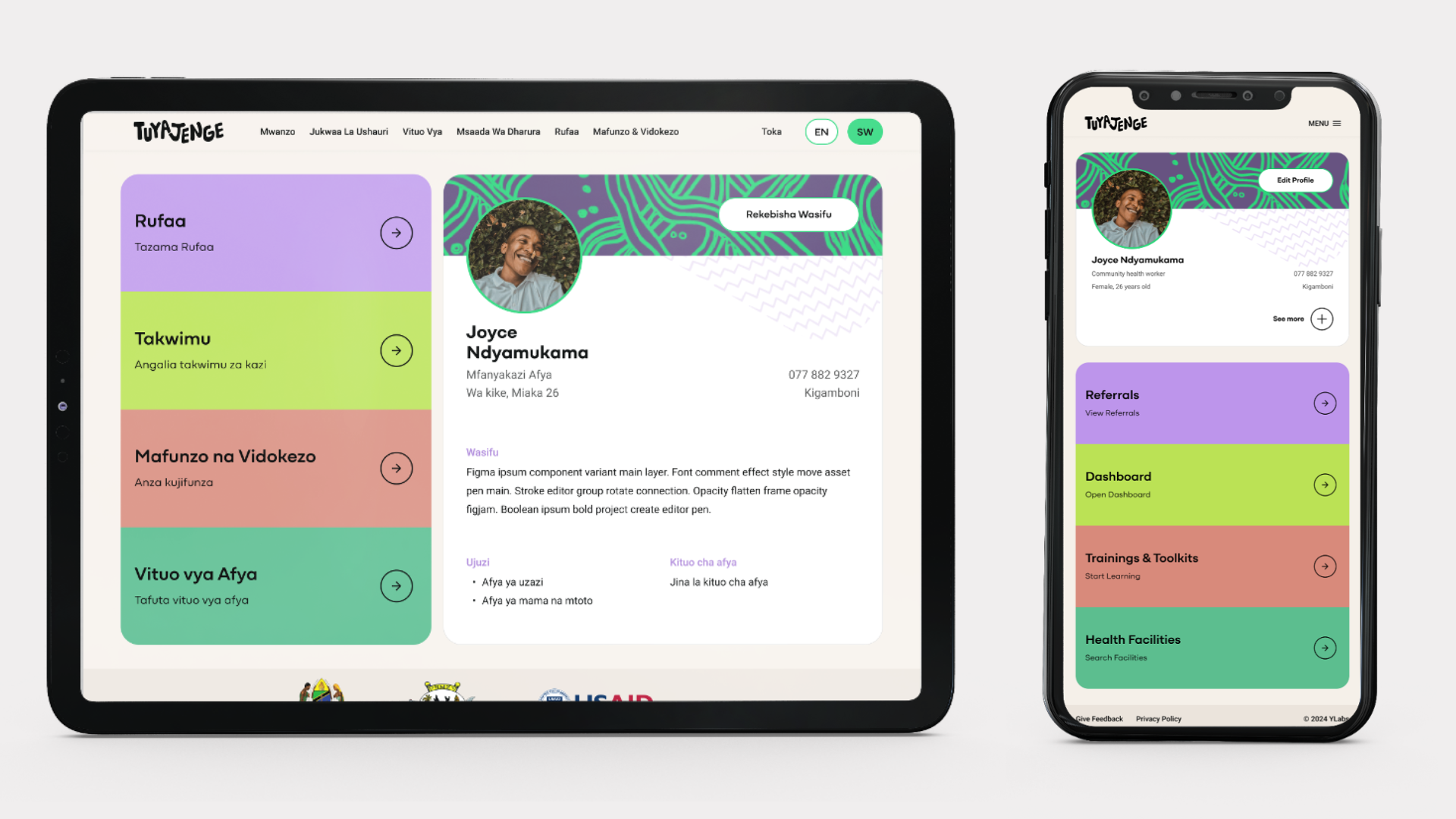
    This case study outlines the process of building a design system for Tuyajenge, a digital health education and referral tool for youth in Tanzania. The goal was to establish a single source of truth for both designers and developers, ensuring a consistent and scalable user experience across mobile and web platforms. My objective was to solve this by creating a scalable design system.
    The Challenge

    Tuyajenge was being developed for multiple platforms, which created a risk of design and user experience inconsistency. We needed a systematic approach to ensure that the user interface was unified and that our teams could work efficiently without constantly reinventing the wheel. The core problem was a lack of a centralized, single source of truth for design assets and guidelines.

    Our Approach

    Our team adopted the Atomic Design methodology to build the design system from the ground up. This approach allowed us to create a flexible and scalable system, starting with the smallest elements and building up to complex components.

    The foundational design decisions were a collaborative effort:

    • Typography and Colors: Our communication designer led the charge on these elements, ensuring they aligned with the product’s overall branding and vision.
    • Spacing: We implemented an 8-point grid system, a common industry standard, to ensure consistent and organised layouts.
    • Interface Audit: To identify existing inconsistencies and design opportunities, I conducted a thorough audit of the developed product’s interfaces, pinpointing unresponsive elements and areas that needed a unified design.

    The Solution: Our Design System

    We created a comprehensive design system that served as our single source of truth. It was a living product that contained everything our team needed to maintain consistency and efficiency. The key deliverables included:

    • Foundational Elements: A style guide with all our approved colors, typography, and spacing guidelines.
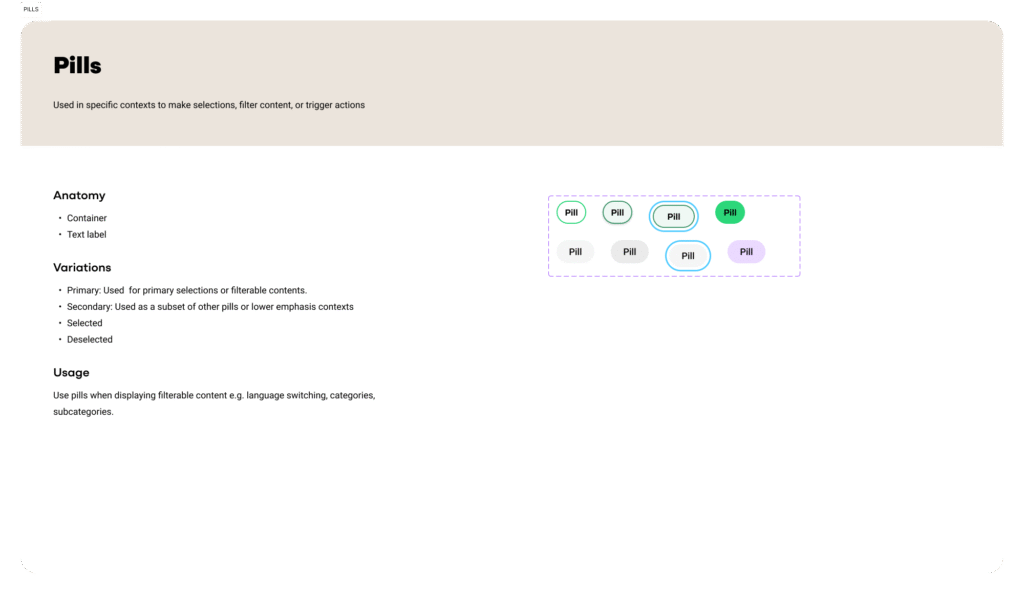
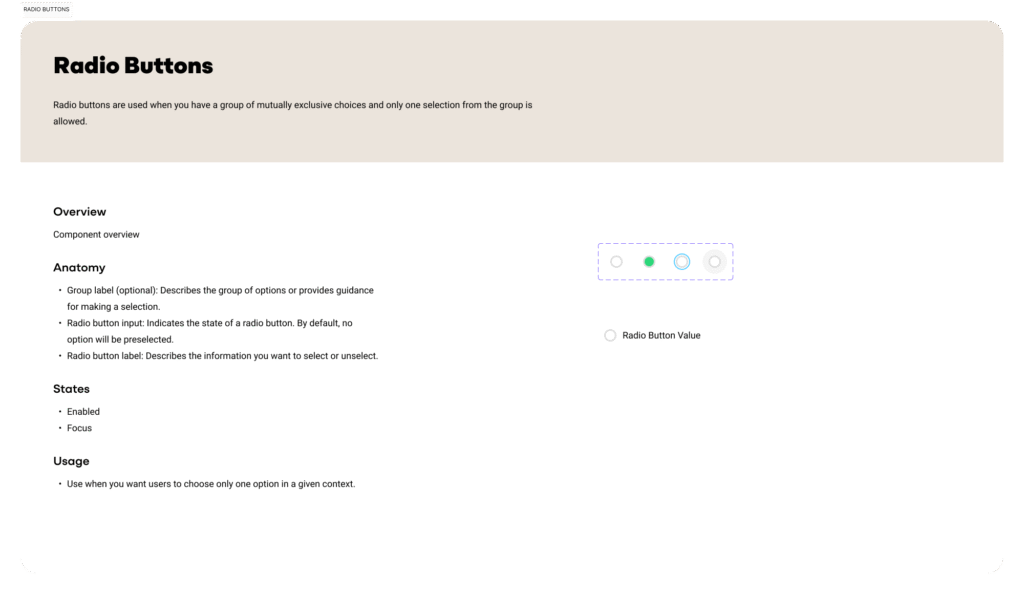
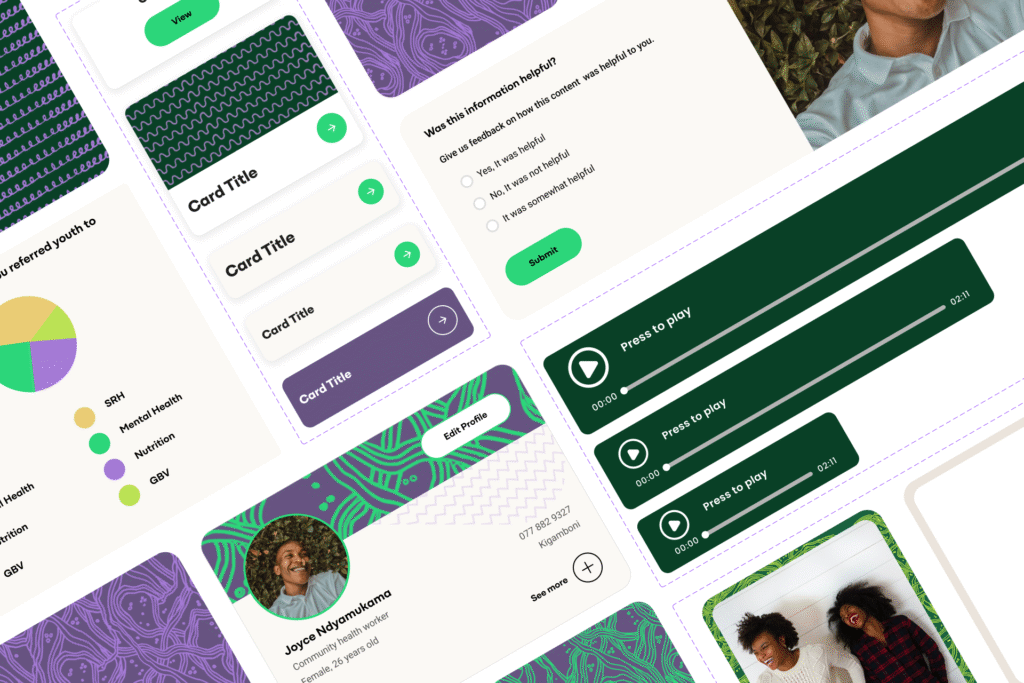
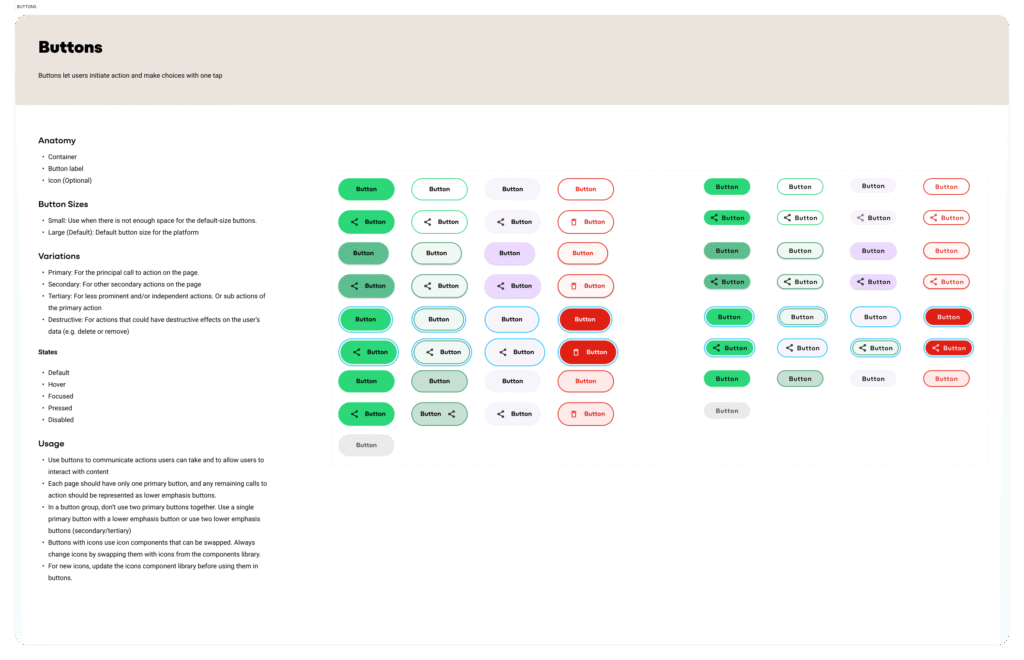
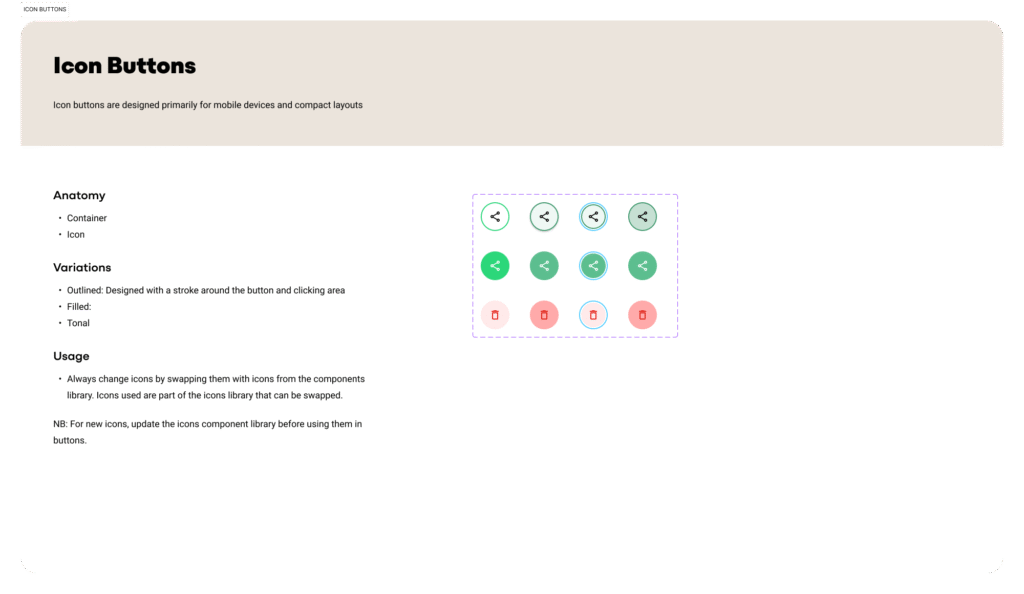
    • Component Library: A collection of reusable UI components, documented with their different states and usage rules.
    • Documentation: Detailed guidelines on how to use the system, which helped both designers and developers understand best practices and usage scenarios.

    Impact and Outcomes

    While we didn’t track quantitative metrics for this first version, the impact on our workflow and the product’s quality was clear and significant.

    • Improved Handoffs: The design system streamlined the handoff process between design and development. With a shared library of components and clear documentation, developers could build new interfaces with confidence, even without a pre-made design file.
    • Increased Component Reuse: The system fostered a culture of reuse, which drastically reduced redundant work and accelerated development cycles.
    • Enhanced Consistency: We achieved a noticeable level of visual and functional consistency across both the mobile and web platforms, which is crucial for a cohesive user experience.

    Cross-functional Collaboration: The process of building and refining the design system strengthened our collaboration with the product manager, senior product designer, and communication designer. Their feedback was essential in ensuring the system was practical and effective for everyone.

    By creating this design system, we not only solved a problem but also laid a solid foundation for the future growth and scalability of the Tuyajenge product.
    Share this post on:
  • Human-Centered Design Facilitation for E-Mobility Initiatives

    Human-Centered Design Facilitation for E-Mobility Initiatives

    Share this post on:

    Context

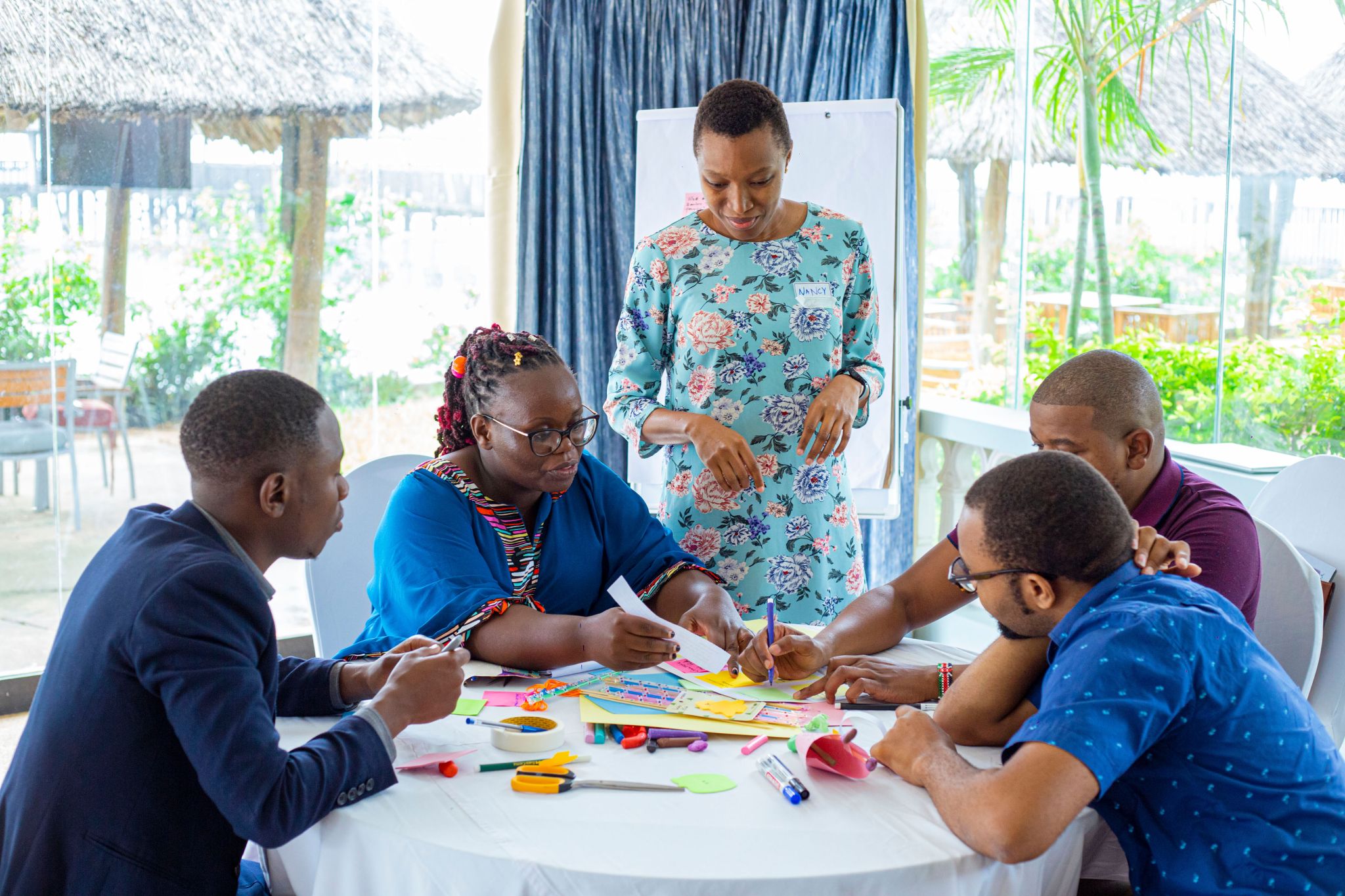
    My role as a Human-Centered Design (HCD) Facilitator during the Siemens Stiftung e-mobility training program, organised by Mideva Labs which took place in Dar es salaam, Tanzania with participants from Kenya, Uganda, and Tanzania.

    This immersive 3-day workshop was designed to equip professionals and entrepreneurs in the e-mobility sector with HCD principles and methodologies for impact-focused product development and market research.

    My Role & Core Skills

    As an HCD Facilitator, my responsibilities encompassed guiding diverse groups of participants through the iterative HCD process. This project specifically showcased my expertise in:

    • Human-Centered Design (HCD) Facilitation: Guiding multi-national teams through problem definition, user research synthesis, ideation, and solution development.
    • Prototyping & Testing: Instructing and facilitating the rapid creation of tangible representations of ideas, enabling early validation and feedback.
    • Workshop Facilitation: Structuring and leading engaging sessions, managing group dynamics, and ensuring productive outcomes within a time-bound workshop environment.

    Driving Electric Vehicle Uptake (The Challenge)

    I had the privilege of working closely with one dedicated group of participants on a specific, pressing challenge within the e-mobility sector: “How Might We drive uptake and adoption of electric vehicles among potential users?” This challenge required a deep dive into user behaviors, perceptions, and barriers related to EV adoption in developing economies.

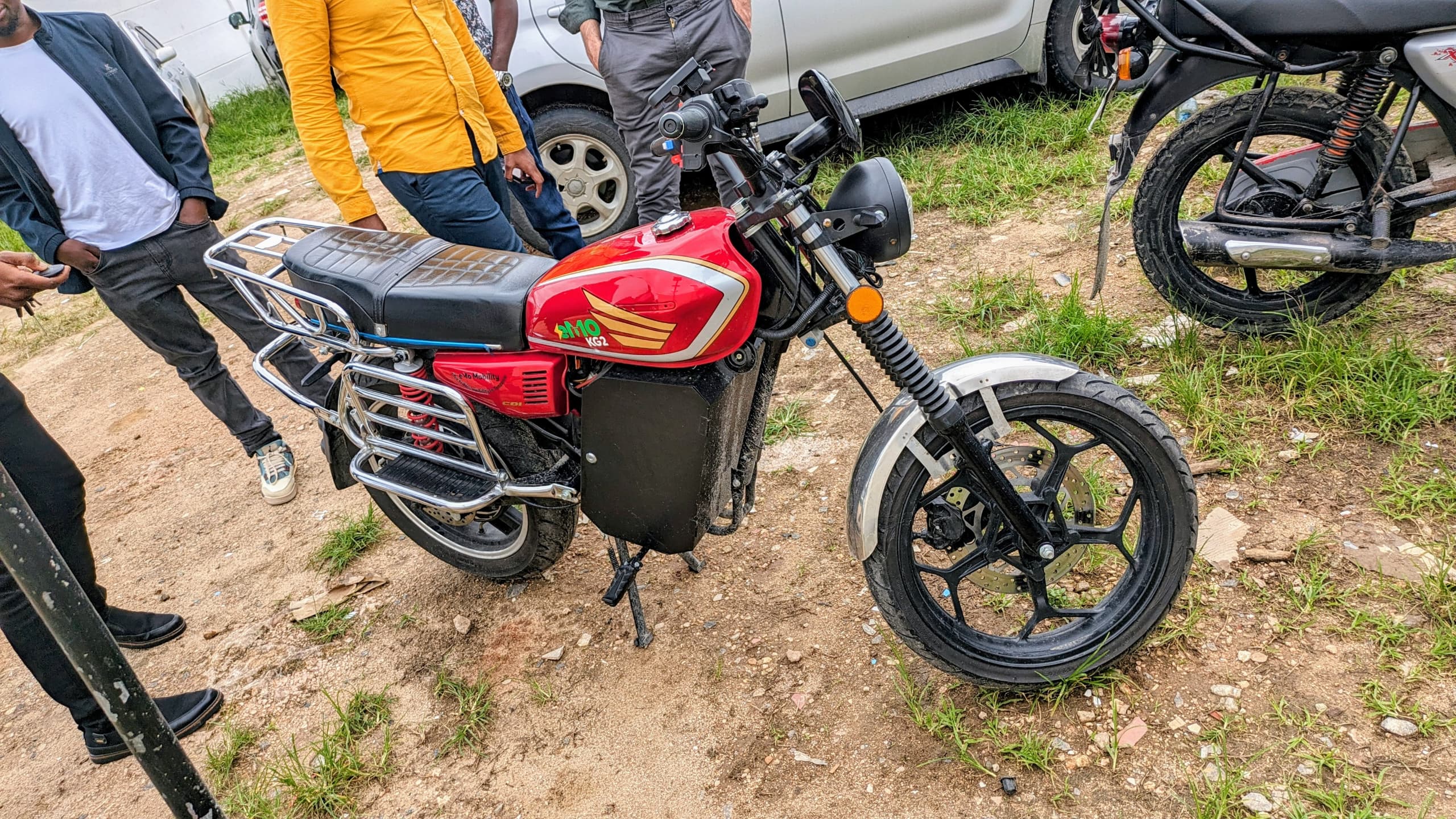
    An electric motorcyle by eMO that runs on batteries produced by WAGA

    Human-Centered Design (HCD) Facilitation & Field Research

    My role began by guiding the group in framing their research questions and preparing for direct engagement with potential EV users. I facilitated sessions that emphasized:

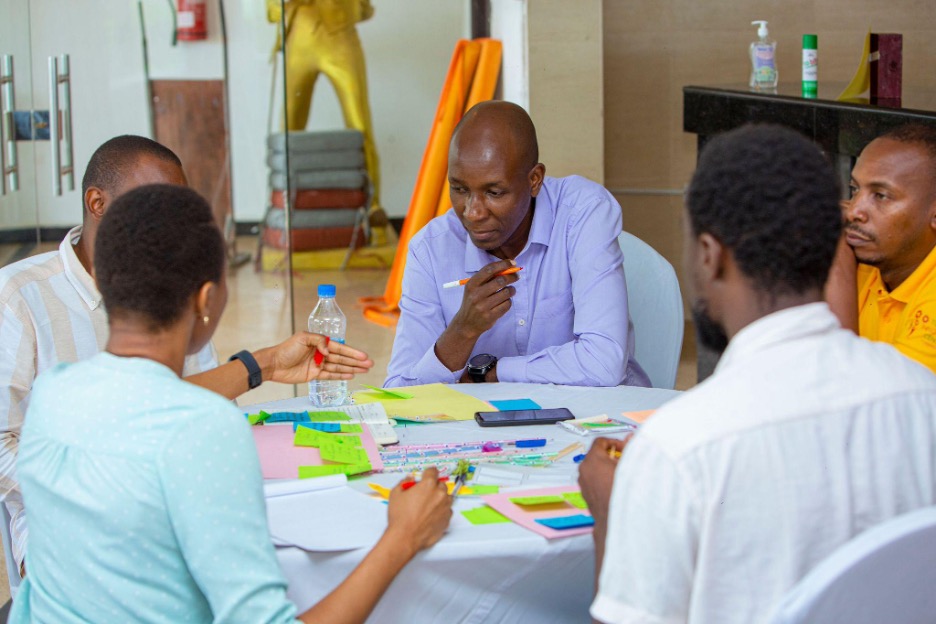
    • Data Synthesis: Leading the group through affinity mapping and other synthesis techniques to identify key themes, user archetypes, and core insights from their field research. This process was crucial in moving from raw data to actionable user needs.
    • Empathy Building: Encouraging participants to truly understand the lives, daily commutes, financial considerations, and environmental awareness of their target users.
    • Research Design: Providing frameworks for conducting qualitative field research, including interview techniques and observation methods, to uncover unarticulated needs and pain points.

    Prototyping

    Following the research synthesis, my sessions shifted to the ideation and prototyping phases. I facilitated exercises that encouraged divergent thinking and then converged on promising concepts. A key focus was on generating ideas to gain buy-in from a specific user archetype: the “boss” who possessed the financial capacity to bear the risk of acquiring EVs.

    Participants utilized the Crazy 8s method to rapidly generate diverse ideas addressing the identified gaps and opportunities from their research insights. The team explored a range of concepts, including:

    • Providing financial incentives to make EV acquisition more appealing.
    • Investing in maintenance services and the reliable supply of spare parts for EVs to alleviate concerns about upkeep.
    • Creating broad awareness campaigns targeting not only bosses but also drivers and the general public to build understanding and trust in EVs.

    Testing & Iteration

    The completion of the HCD cycle involves rigorous testing of the developed prototypes with potential users. Given the time we had, we roughly tested the three ideas by role playing, this session ensured that trainees understood: test planning, user feedback collection and iterative refinement.

    The culminating idea from this ideation phase was to become “marketing geniuses” and organize an “EV Day.” This event would invite bosses, drivers, and the general public to a comprehensive experience featuring an EV race, test drives, raffles, and dynamic demonstrations showcasing the capabilities of electric vehicles. Crucially, it would also include an informative session and dedicated booths where attendees could learn more about EVs, addressing key knowledge gaps and fostering direct engagement.

    Key Learnings & Impact

    This engagement reinforced the immense power of integrating HCD principles into complex problem-solving, particularly in emerging markets. My facilitation enabled the participants to:

    • Develop User-Centric Solutions: Move beyond assumptions to create solutions genuinely aligned with user needs and market realities.
    • Embrace Iteration: Understand the value of rapid prototyping and testing for continuous improvement and risk reduction.
    • Collaborate Effectively: Work as cohesive units to tackle multifaceted challenges, leveraging diverse perspectives from Kenya, Uganda, and Tanzania.

    The project provided the participants with practical tools and a mindset to drive the adoption of electric vehicles by focusing on the human element, ultimately contributing to sustainable development in the region.

    Final Thoughts

    My experience as an HCD Facilitator for the e-mobility training was instrumental in honing my skills in guiding teams through the entire human-centered design process. This project exemplifies my commitment to driving impactful, user-centric innovation in diverse and challenging contexts.

    Got questions?

    I am adept at translating complex challenges into actionable design opportunities, fostering collaborative environments, and ensuring that solutions are validated by end-users. Feel free to reach out.

    Share this post on:
  • Emergency Management Information System

    Emergency Management Information System

    Share this post on:

    The Problem

    Lack of timely coordinated communication for emergency responders when managing disaster related emergencies.

    Discovery: Research & Analysis

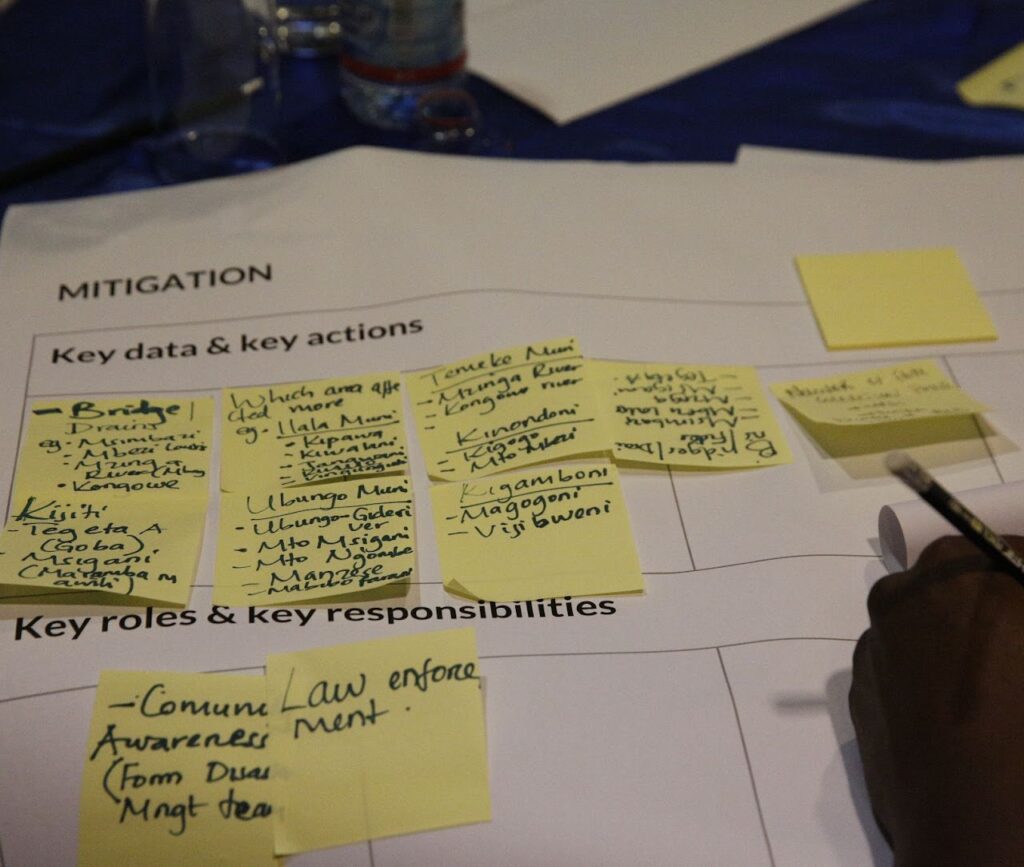
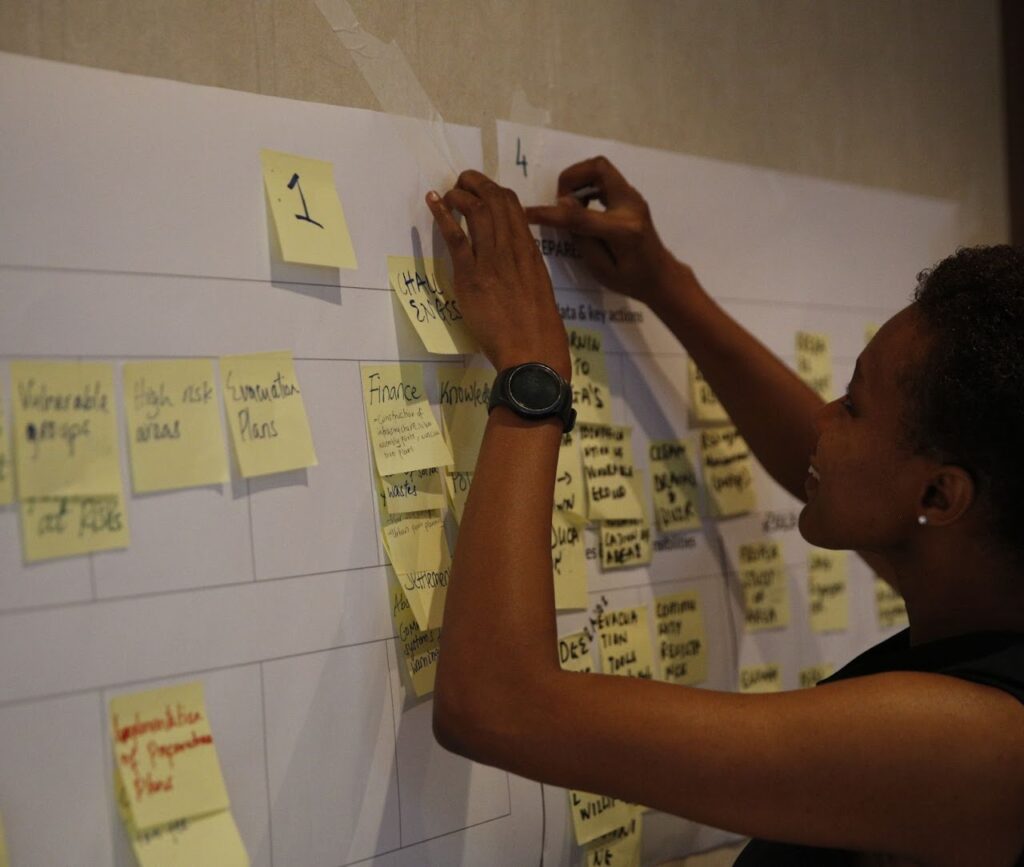
    Our discovery workshops and field visits focused on finding the key data, actions, responsibilities and stakeholders needed in each phase of emergency management. 

    I coordinated and facilitated discovery workshops with 120+ stakeholders from 5+ different departments in 4 local government authorities (LGAs).

    To better align with the organization’s goals and expectations and to inform the project management team on the findings we held internal workshops.

    Methods: Stakeholder interviews, discovery workshops

    Insights & Key Findings

    • Poor flow of information causes delays in response activities rendering them ineffective.
    • Information on resources in warehouses and organizations is needed in order to allocate material and human resources as efficiently as needed.
    • An updated and easy access contacts book will ensure that timely communication is made to the right people. 
    • There is no organized inventory of emergency events which can be used for planning response.
    • There is no central communications portal for emergency events which makes it hard for all emergency responders to be aware of the status of the emergency activities.

    “We exhaust a lot of resources in the event of emergency. Better data, equipment, and coordination is needed to support our greatest asset: people.”

    Dar es salaam Regional Response Team Coordinator

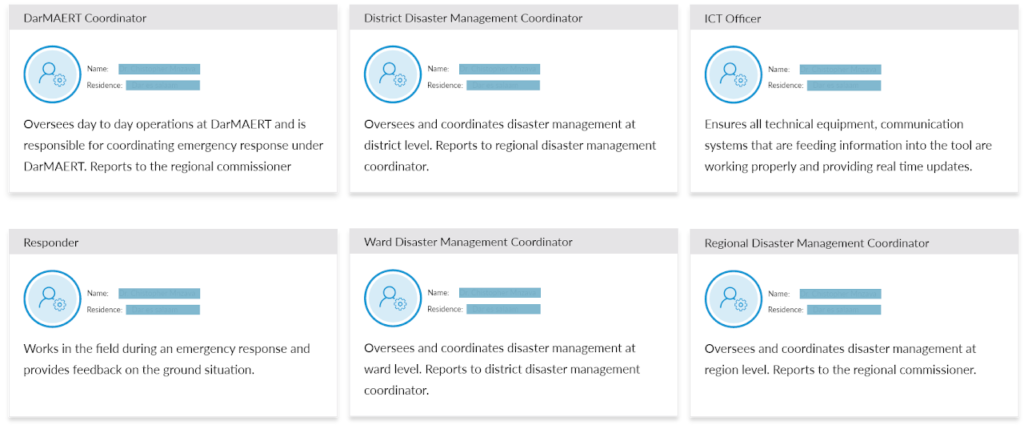
    Personas

    From the workshops we determined that we will use role based personas for our project. Role based personas focus on the role and functions of the user within the organization. The personas were used to develop user stories during the development phase.

    User Interface Design

    Design: Concepts & Sketching

    During this phase we did a lot of designs on paper before moving to Adobe XD for prototyping 

    Tools used: Paper sketching, Adobe XD

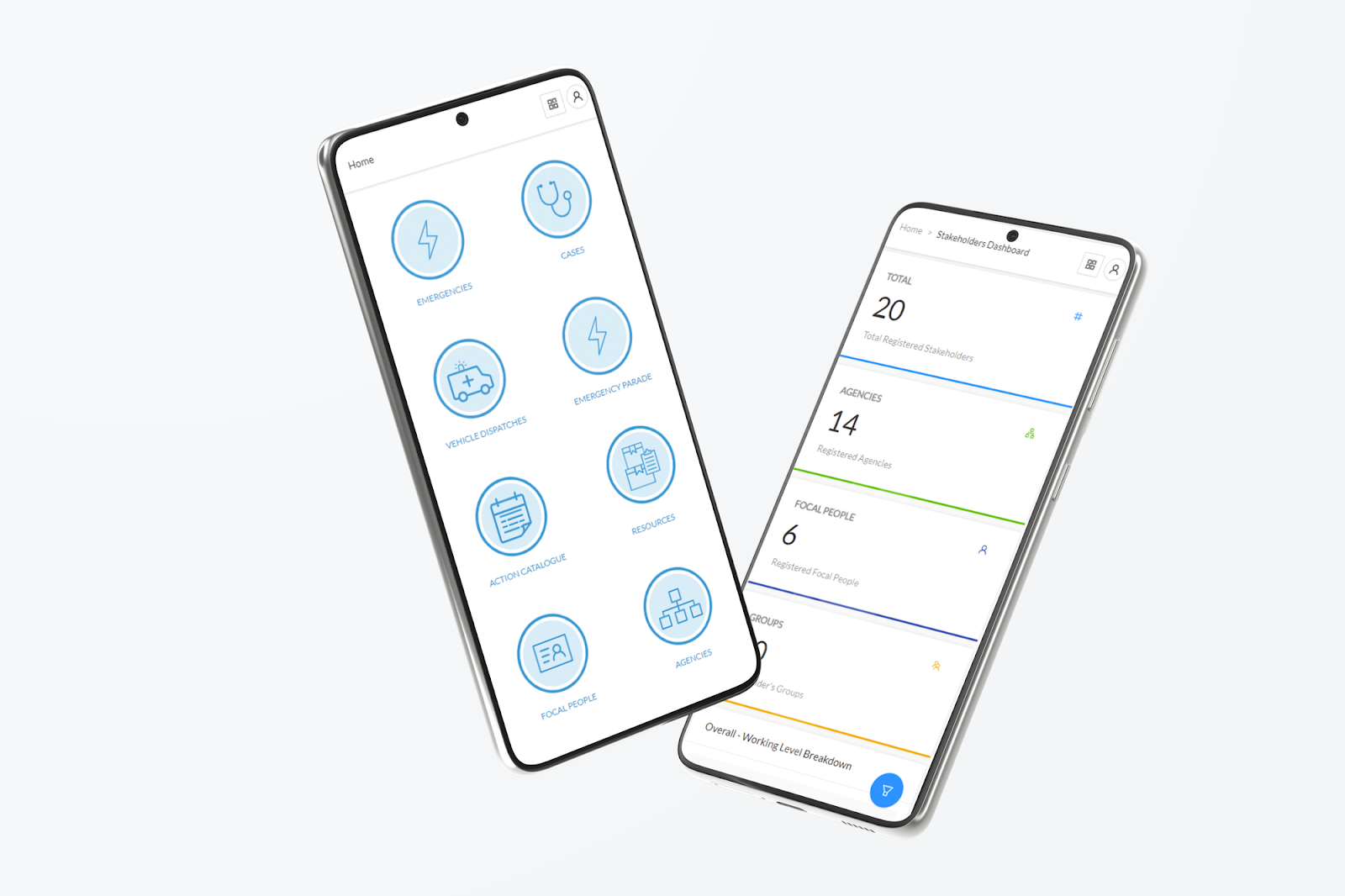
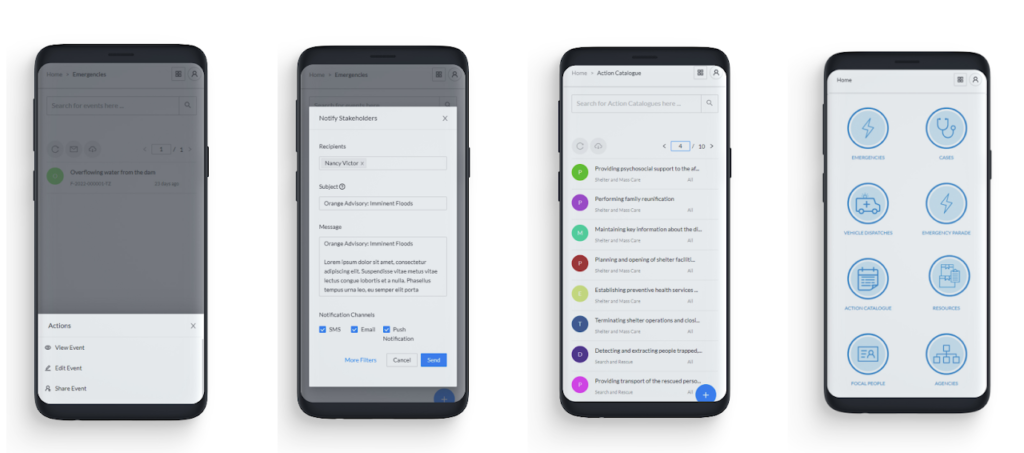
    Some of the first iteration high fidelity prototype designs

    Development

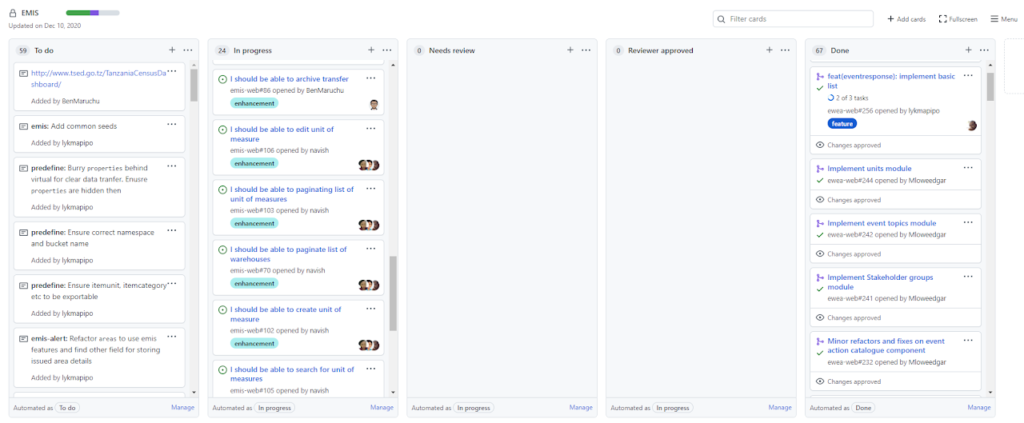
    Development: Sprints & User Stories

    A screenshot of the GItHub Projects interface that was used for development

    Development: Feature Prioritization

    The first problem that had to be solved was information sharing so the development team started working on a feature called stakeholder which consisted of a database of all personnel responsible for emergency/disaster management; their roles and contacts.

    Features that followed included emergency alerts, digital emergency response plans, dashboards, warehouse management, assessment toolkits. All features included geospatial data for map visualization.

    Tools used: Github Projects, Google Docs

    Validation & User Feedback 

    To validate our designs we presented them to the end users. This helped us to understand the position of our product in the users’ workflow, the ease of use, and what was still missing in our designs.

    We showcased the UI designs and the developed prototype, we then allowed users to compare the UI designs and developed prototype for further understanding of how the design and development process goes. 

    Methods: In-person moderated testing

    One of the presentations we did at the emergency operations center (EOC)

    Usability Testing & Improvements

    Prototyping continued even during development, in the iterations that followed we added more features and redesigned some of the interfaces to accommodate new features and feedback from stakeholders. 

    Changes to the UI design included

    • Relocating the navigation menu and updating the base layout of the app
    • Adding dashboards to provide a status overview of an emergency situation or response activity.
    • Adding mobile responsiveness to features that were used on the go when responders are in the field

    Methods: In-person moderated & unmoderated testing

    Design Improvements

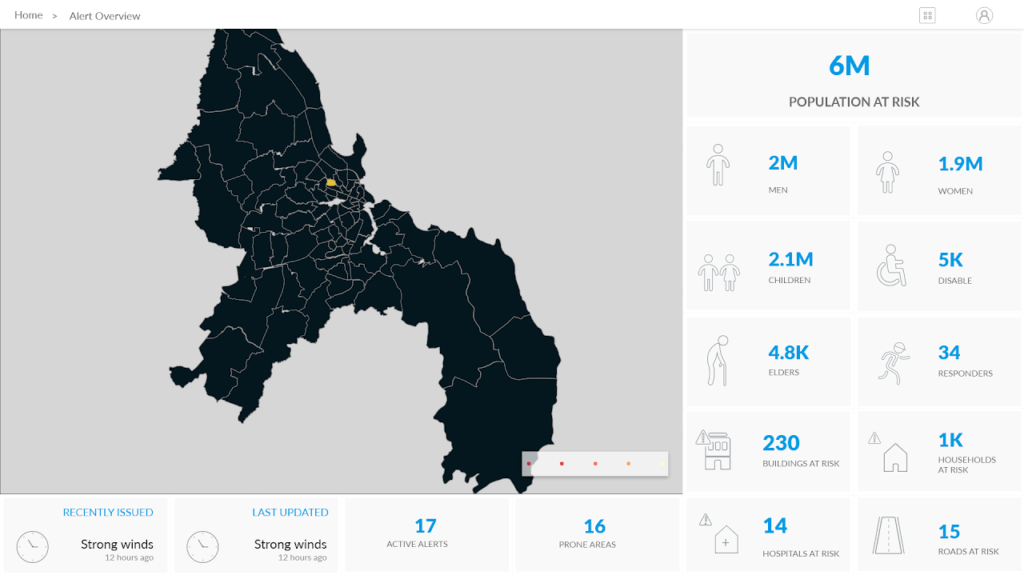
    One of the dashboards that we designed to provide high level information about an emergency situation.
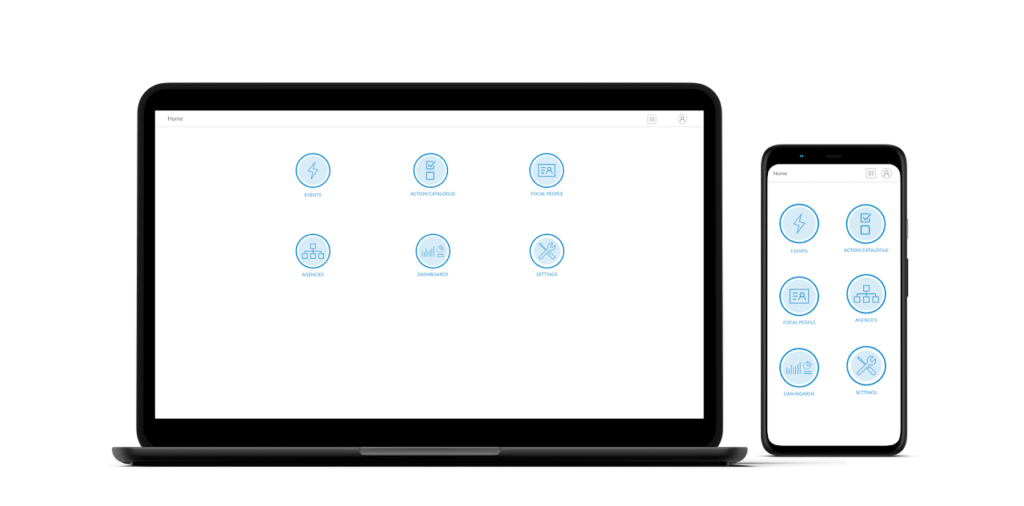
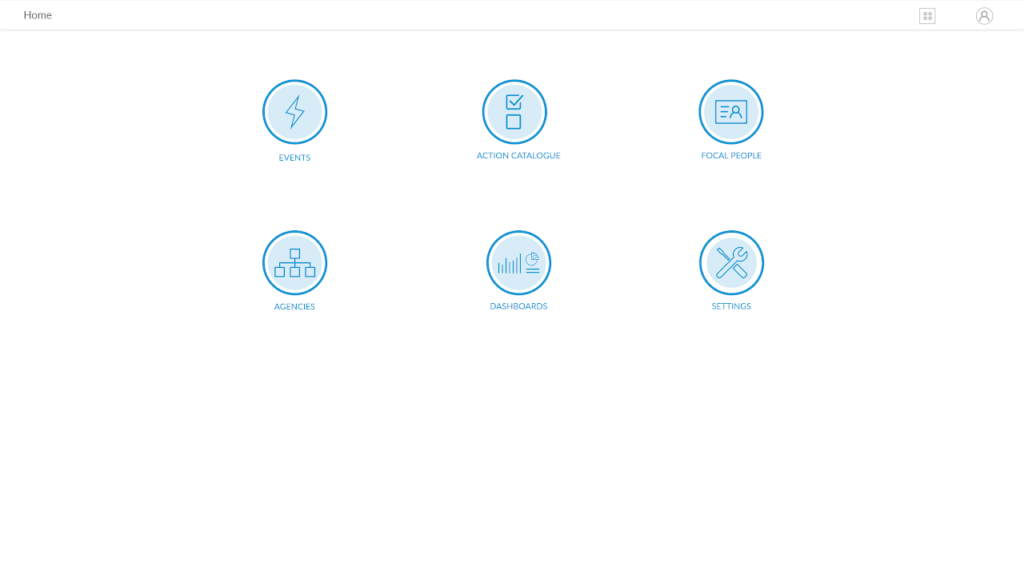
    New navigation covers the whole screen and once away from the home screen users can access it by clicking a menu icon on the application header.

    Mobile interfaces of EMIS

    Solution & Lessons Learnt

    EMIS significantly enhanced disaster risk management for emergency responders of Dar es Salaam by solving the communication and information gap that existed amongst emergency responders. It has been adopted by the Dar es salaam Emergency Operations Center (EOC) and is being used for both training, drills and emergency response activities. 

    Key lessons from this project 

    • Running design sprint workshops with different stakeholders across the information flow channel helped us to understand the extensive user needs and how to prioritise the implementation process. It was important to be able to have a representative sample that brought everyone involved party into the design process.
    • Designing flexible, re-usable interfaces and components can go a long way. This was evidenced the customization of the system to include features for tracking COVID-19 cases when they started in 2020. 

    “Proper use of data and information obtained from Emergency Management and Information System (EMIS) has improved emergency response and inform the regional authority the priorities during emergency planning. ”

    Dar es salaam Regional Response Team Coordinator (in 2022)

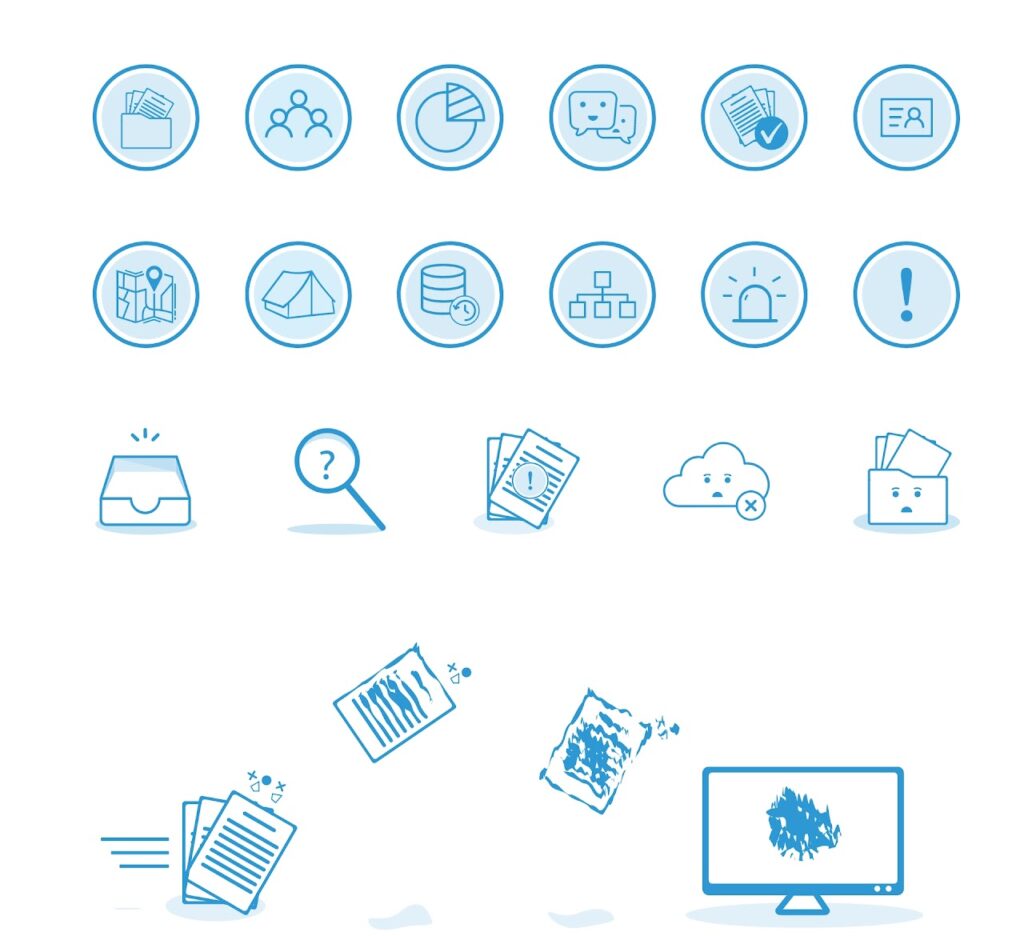
    Visual Design: Icons & Illustrations

    Tools: Adobe Illustrator, Photoshop

    Project Details

    Platform: Desktop & Mobile

    Year: 2018 – 2022

    My role: Workshop Facilitation, User Research, UI Design, Prototyping, User Flows, Visual design, Usability Testing.

    Share this post on:
  • Mimi Ni Nani Website Design

    Mimi Ni Nani Website Design

    Share this post on:

    The Problem

    Unemployment, unemployability and underemployment of the majority of the youth in Sub-Saharan Africa.

    Mimi Ni Nani’s Solution

    • Delivering relevant, demand-driven skills, experience and exposure for job creation and decent employment; through online and in person programs, events and webinars
    • Establishing meaningful partnerships for sharing and exchanging opportunities, resources and networks; through mentorship, coaching and internship placements
    • Building a strong support system that is inclusive, scalable and sustainable. through communities.

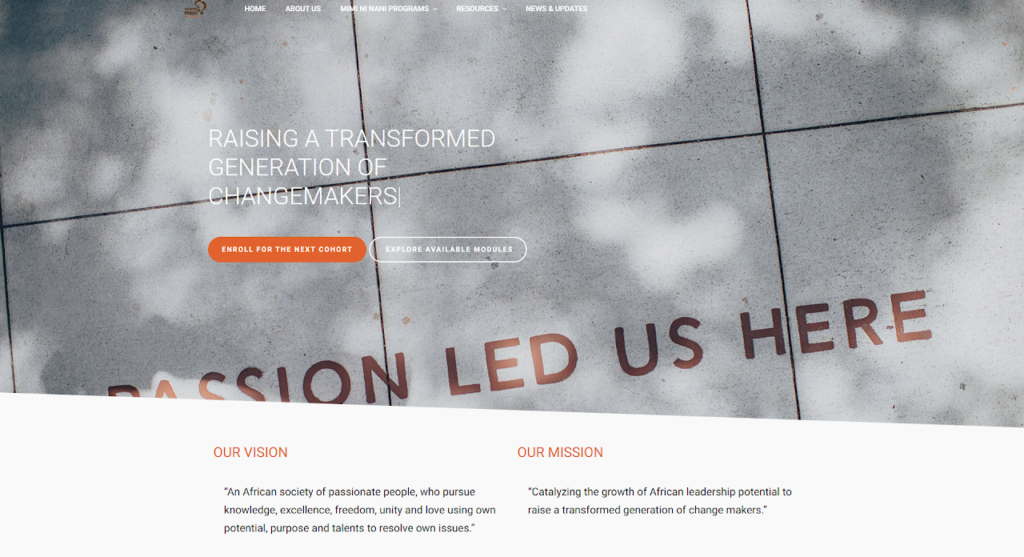
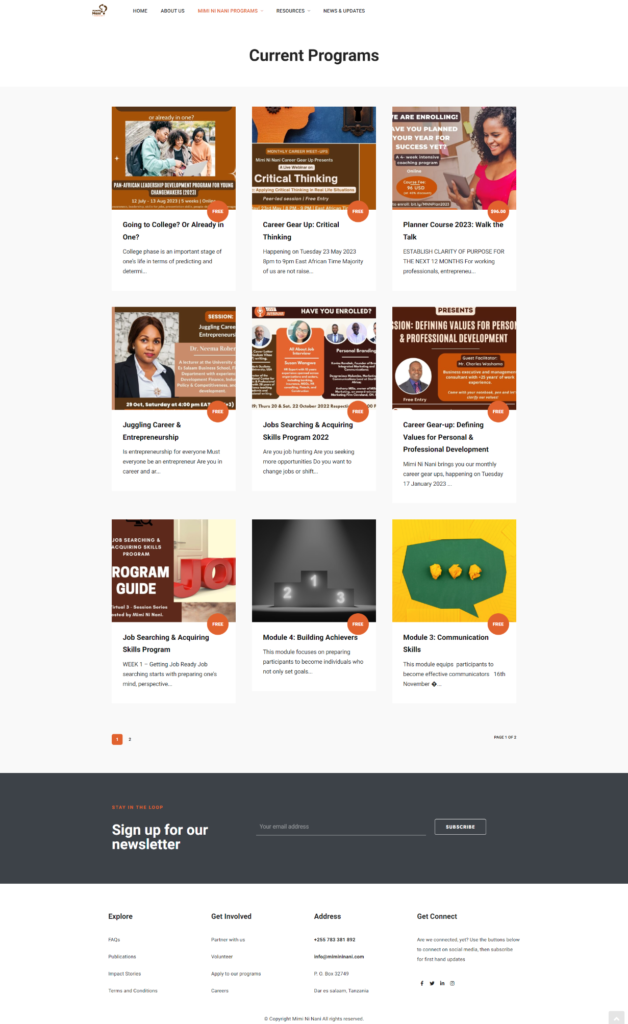
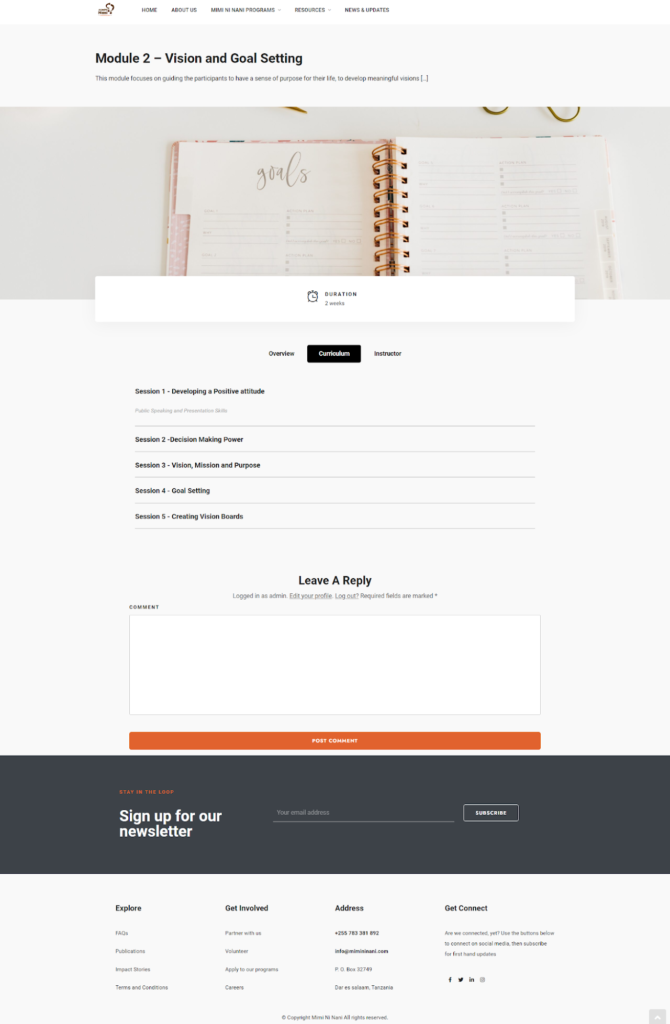
    The Website

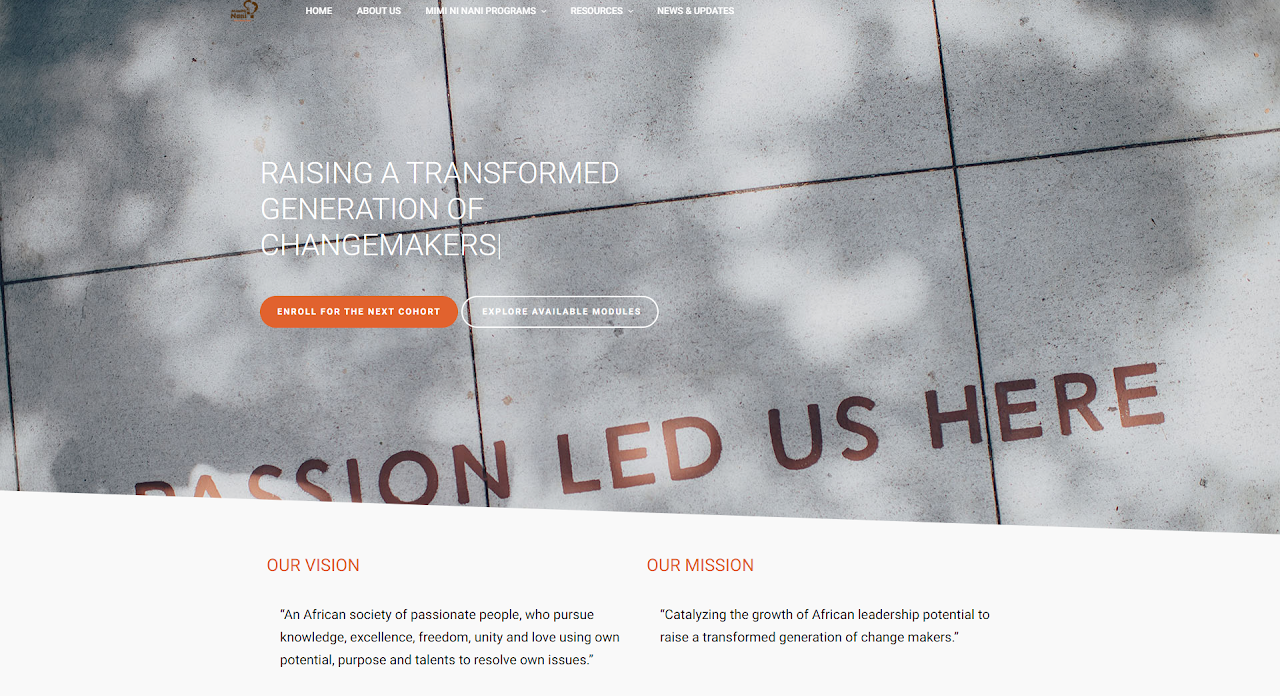
    My role was to design a website that 

    •  Communicates the vision of Mimi Ni Nani and invite others to partner in achieving it.
    • Creates a platform for youth to enroll on online programs they can do at their own pace.
    • Provides updates on events and seminars that youth can be a part of and build their networks.
    • Builds awareness of Mimi Ni Nani programs and other services.

    Website Design

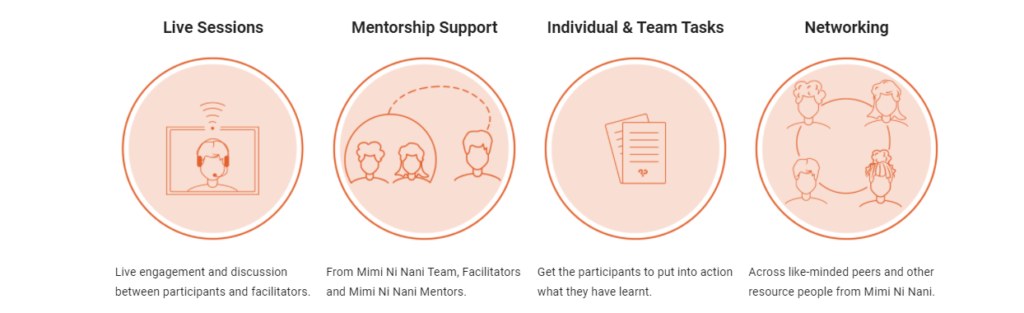
    Illustrations and Icon Design

    Illustration for features of Mimi Ni Nani ‘s Leadership Development Program

    Project Details

    Project: Mimi Ni Nani Website

    Platform: Desktop & Mobile

    Year: 2019 – 2020

    Role: Visual Design, Illustrations and Icon Design, Information Architecture, Web Design & Development.

    Share this post on:
  • Real Estate App UX Case Study

    Real Estate App UX Case Study

    Share this post on:

    Problem Overview

    Dar es salaam, which is the business capital of Tanzania is home to over 5 million people, which provides a large market for residential properties as well as creating challenges to the real estate industry. 

    There is no dedicated real estate portal in Tanzania and customers looking for properties to rent have to go through multiple platforms and/or use word of mouth to try and get a property.  This is time consuming and sometimes inconvenient and brings dissatisfaction to customers.

    The purpose of the project was to look for the possibility of designing a real estate portal that allows customers to search for properties with ease.

    Discovery: Research & Analysis

    For my research I carried out interviews to learn about customers latest property search, how they did it, what they liked about the process and what were the pain points. Thereafter I carried out a survey to provide further insights and general views on some of the interview findings. 

    Key findings

    • Users go online to search for properties every time they are looking for one because it is convenient.
    • Aggregated listings from multiple agents improves search experience because it saves time.

    Tools used: Google Forms, Miro 

    Discovery: Key Findings

    • 53.3% of survey participants said that they go online to search for properties every time they are in need of one. 
    • 93.3% of survey participants said that they like using Instagram to search for properties. 
    • Instagram is commonly used by real estate agents to show listings available in the market. Since a lot of people are already on Instagram it becomes convenient to visit an agent’s page to see listings. 
    • It’s also easy to share photos of properties.
    • 13 out of 15  participants said that an aggregated real estate app will make their search for properties easier.
    • There is no dominant real estate platform in Tanzania, most agents rely on apps and websites with high traffic to post their listings.
    • As it is hard to combine listings from multiple agents on Instagram users turn to Zoom Tanzania, an ad listing website where they can find rental properties from multiple agents.

    Feature Ideation

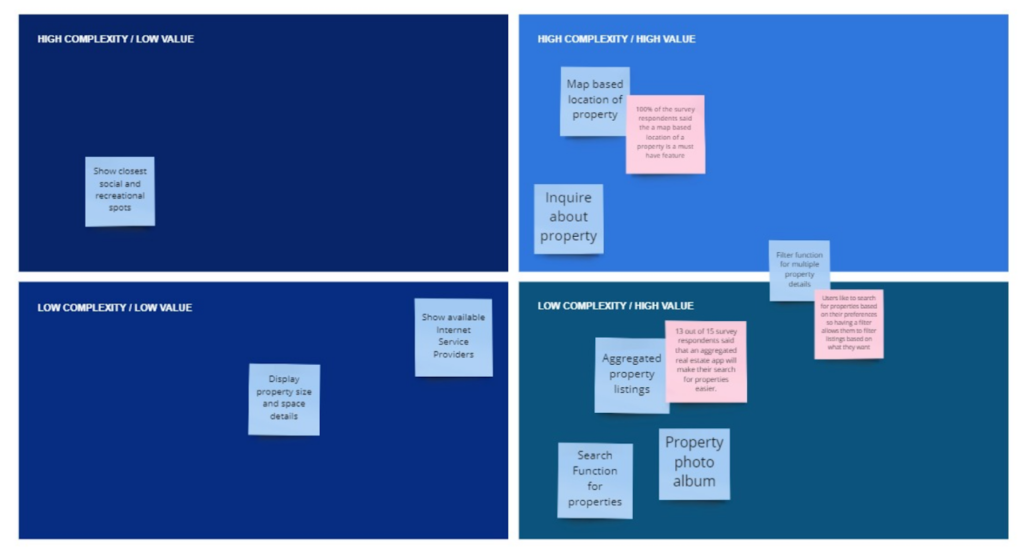
    Based on the research, I used the findings to explore possible solutions and features.  and then used a prioritization matrix to find out which features I should focus on for a minimum viable product (MVP).

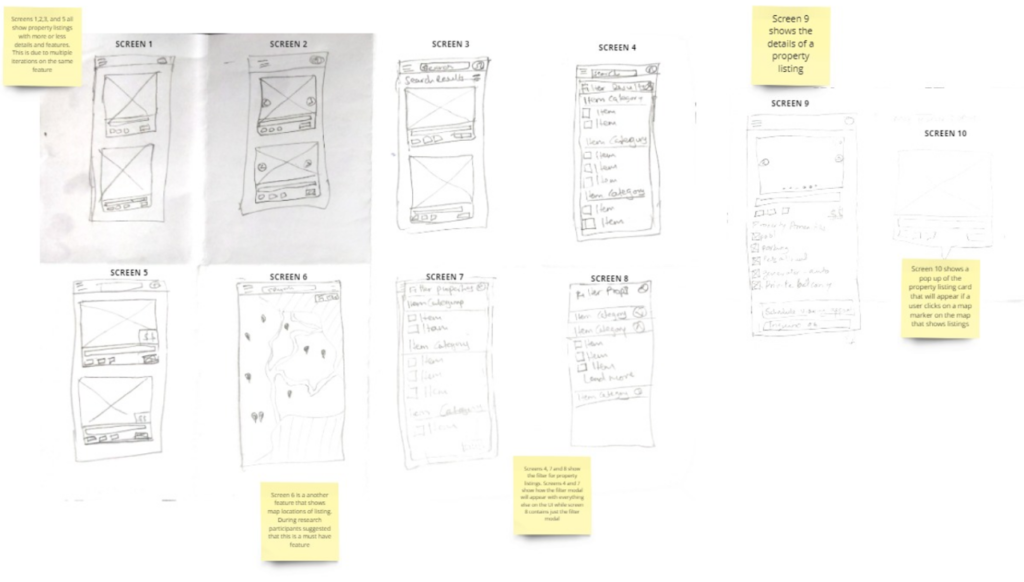
    Design: Concepts & Sketching

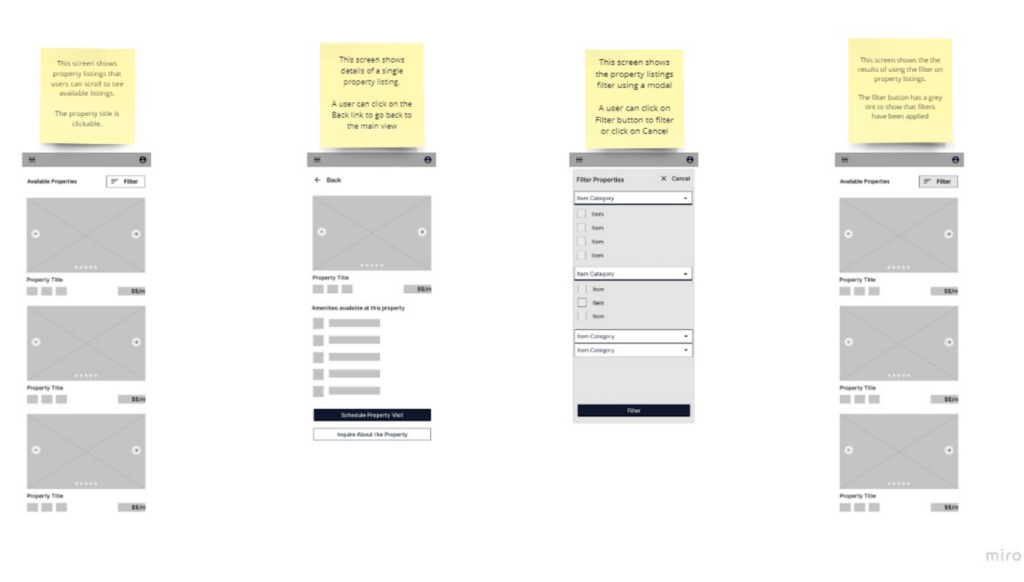
    Wireframing & Prototyping

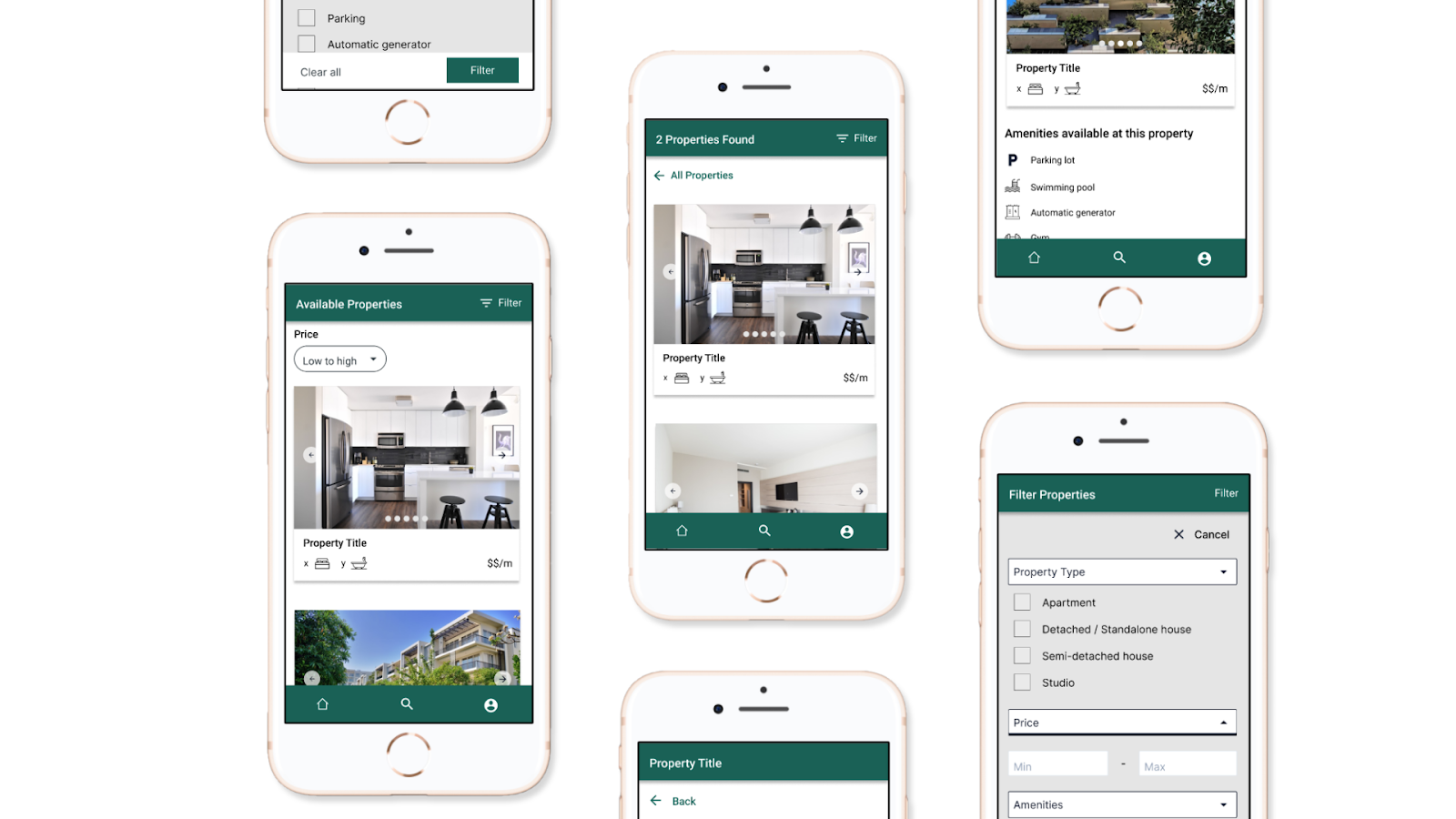
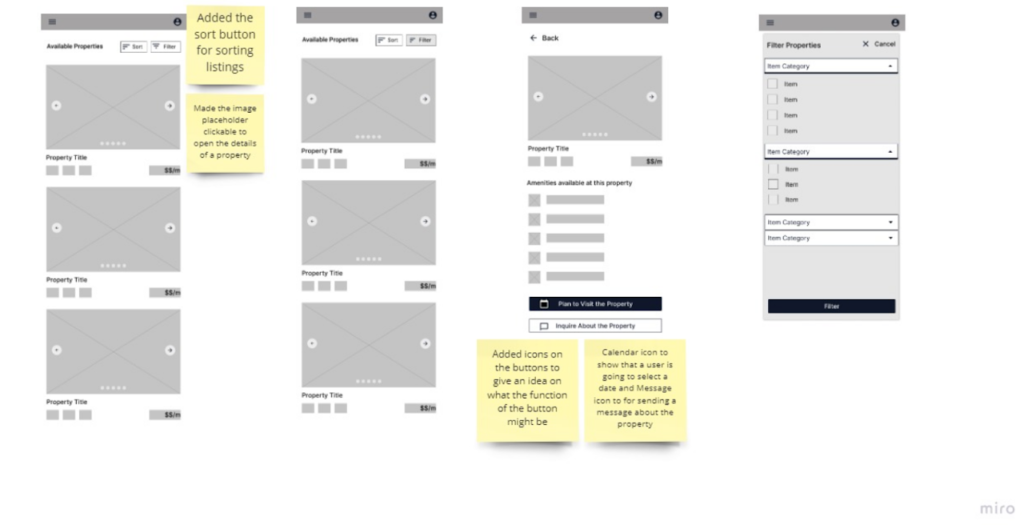
    After obtaining features that I needed to design a minimum viable product (MVP) I designed a low fidelity prototype, which I then tested with some of the interview participants who provided me with feedback on the design. 

    Low Fidelity Screens – First Iteration

    Low Fidelity Screens – Second Iteration

    Key Insight from testing the low fidelity prototype

    • The user requested that I add a sort button so that they can sort listings once they have been filtered.

    Tools used: Figma

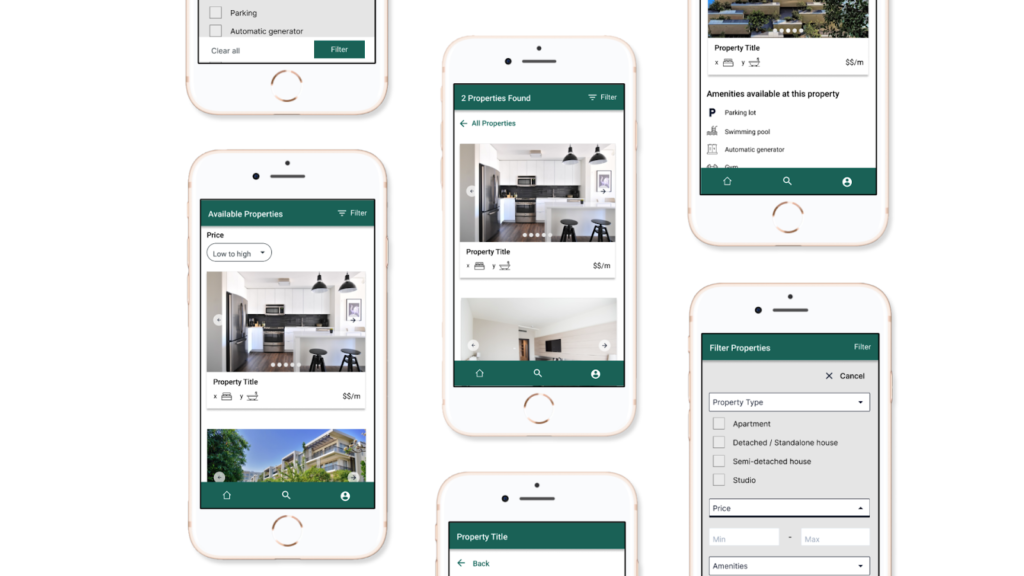
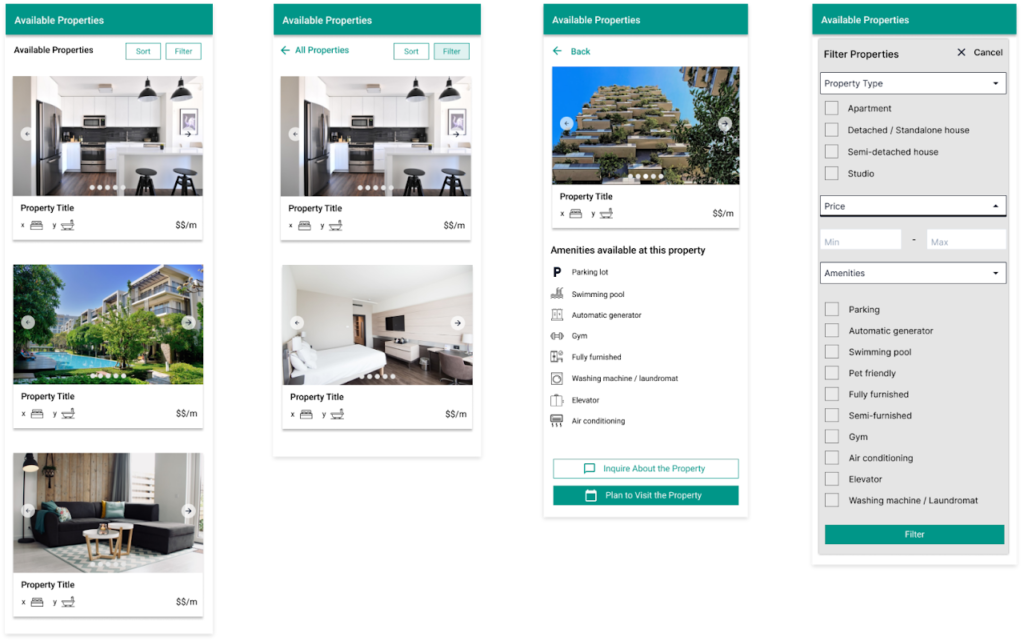
    High Fidelity Prototypes – First Iteration

    User Testing & Feedback

    After creating high fidelity prototypes I ran accessibility test to find out accessibility related issues. 

    I recruited users for usability test who tested the high fidelity prototype using Lookback from which I made further improvements on the designs.

    Tools used: Lookback

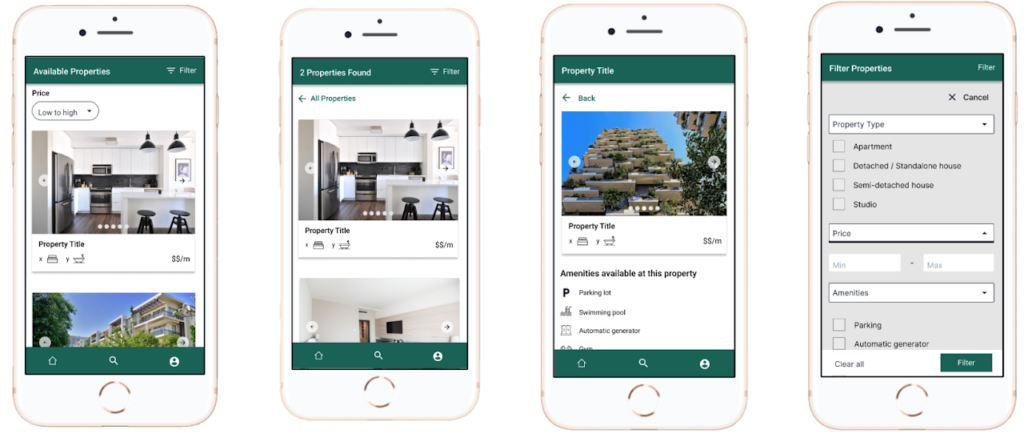
    Key Insight from usability testing

    Users had to scroll back to the top of the screen every time they needed to filter property listings, because the button was hidden once they scroll down the screen. This increased the time they took to complete the filtering task.

    Design Iteration

    Updated the colors and font size on some parts of the design in order to improve accessibility.

    Introduced a bottom navigation, which allowed to fix action buttons such filter button at the top so that they can easily be accessible even as the user scrolls down the screen.

    Project Details

    Platform: Mobile

    Year: 2021

    My role: UX Research, Wireframing & Prototyping, User Interface Design, Usability Testing

    Share this post on:
  • Majifix Fundi App

    Majifix Fundi App

    Share this post on:

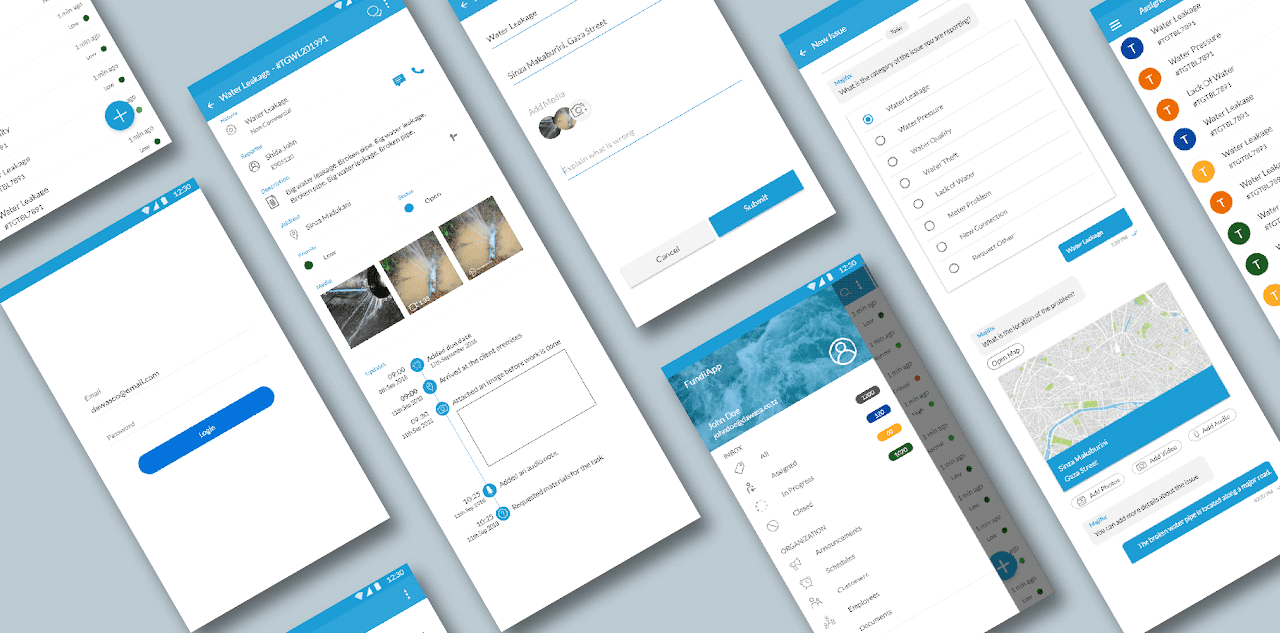
    Workflow automation app for technicians

    Majifix Fundi App

    The Problem

    Lower customer satisfaction that was a result of inefficient internal processes such poor task scheduling and lack of visibility in tracking and monitoring progress. 

    Discovery: Research & Analysis

    During the discovery phase we visited different regional offices and interviewed engineers and technicians who attended to reported issues. Next we interviewed operations and customer care managers to get more information on their work circumstances and customer satisfaction in general.

    Insights & Key Findings

    • There were long issue resolution periods due to delayed or missing field reports.
    • Customers felt that they were forgotten or ignored because they did not receive timely updates on the progress of issues they reported.
    • Technicians were not able to capture new issues on site or update reported issues to mark them as urgent, causing loss of business.
    • Field reports were filed on paper and distributed manually across team members causing delays and lack of visibility.

    Design: Concepts & Sketching

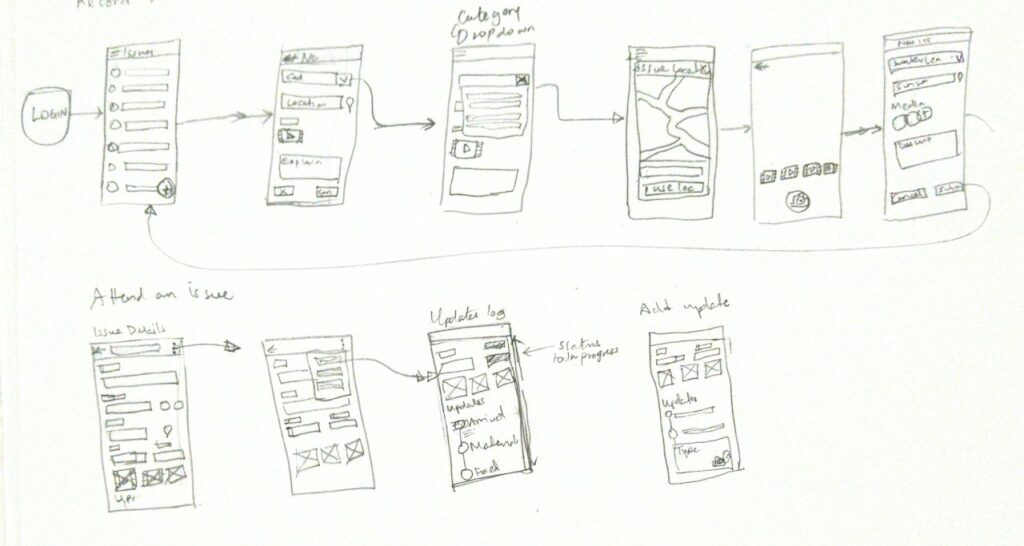
    Initial sketches were done on paper before designing the prototypes on Adobe XD

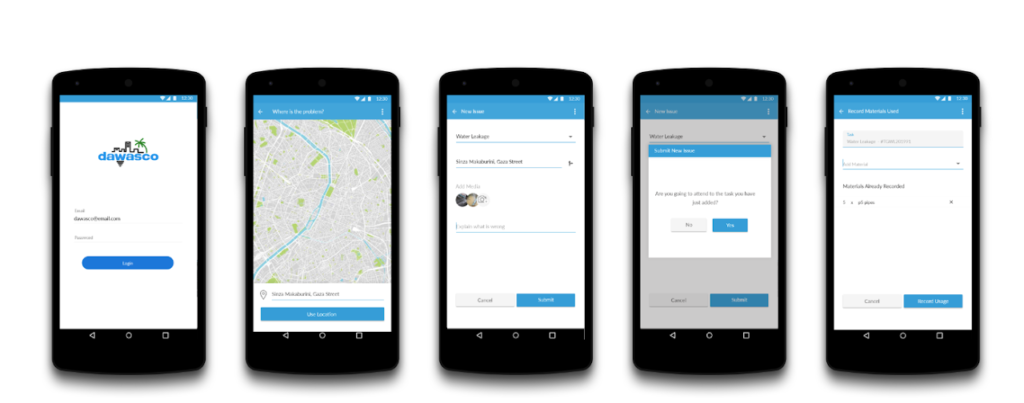
    Design: User Flow

    Prototyping

    Validation & Feedback 

    • We iterated through our sketches and concepts to come up with the final prototype that was shared with the water authority for their validation and approval. Designs were validated by presenting the prototype and giving users in a walk through and collecting their feedback.
    • Once the designs were approved development started and we were able to come up with the first prototype of the app based on the designs.
    • We used the feedback provided to iterate through some interfaces and redesigned them to improve access to for frequently used features.
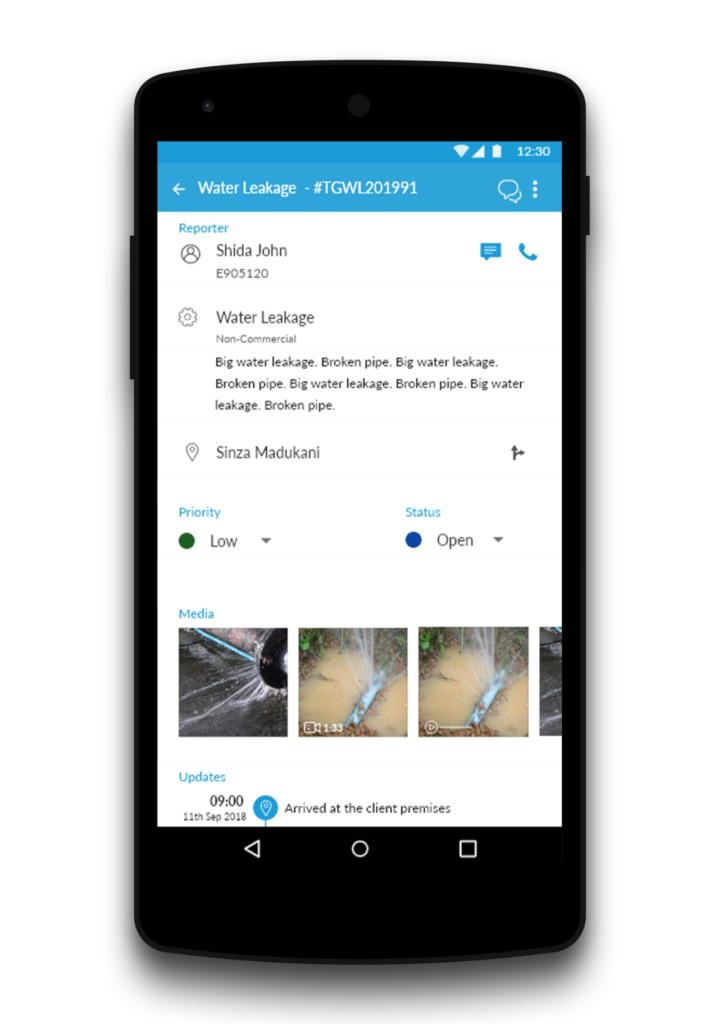
    UI for viewing issue details

    Solution & Impact Overview

    • The app was adopted by the Dar es salaam water authority for their day to day tasks.  
    • Increase in scheduling efficiency because managers and supervising engineers can evenly and efficiently schedule technicians without overloading them.
    • Reduced calls to customer call center since task reports and updates were provided timely.
    • Enhanced customer experience led to higher customer satisfaction which earned the water authority an ISO 9001:2015 certification.
    • Increase in visibility and improvement of access to information because field reports were now filed and made available digitally.

    Project Details

    Platform: Mobile 

    Year: 2019

    My role: Information Architecture, User Flows, Prototyping, User Interface Design.

    Share this post on: